I’ve been using Power Automate with a Custom Connector to our on-prem CRM to do various automation things.
We recently ran a CRM update – which necessitated creating a new Power Automate custom connector as the API definition changed.
Our CRM does provide a Swagger file – but it’s too large for Power Automate (around 7MB), so we have to trim it down – which is quite a manual process and error-prone.
On update day – things didn’t work
When we came to update our CRM and switch everything over – we were getting errors from our Flows:
The API ” returned an invalid response for workflow operation ‘Get_logins’ of type ‘OpenApiConnection’. Error details: ‘The API operation ‘WebLogins_Search’ requires the property ‘body’ to be of type ‘Array’ but is of type ‘Object’.’
This seems to suggest that there’s an error with the definition file – something somewhere is saying it should receive an array, but is being sent an object. However, changing the definitions to expect an object just created more errors!
Even more strange was that this had all been tested previously on the test environment – without issue.
It also works fine in test…
Not only had previous tests worked against the test environment – but tests of each call against the live server worked fine when testing in the Custom Connector setup:
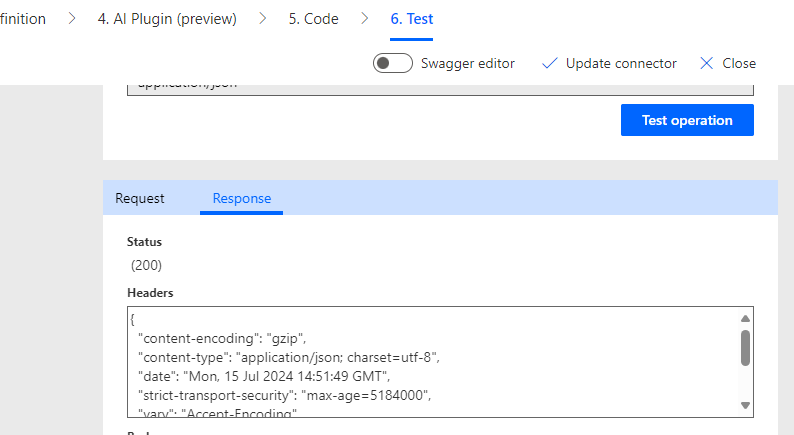
However – when running in a Flow, we got the Array/Object error.
What’s going on?
So – eventually I found out what the issue was.
Before I did I almost went crazy double-checking our Swagger definition, checking that the server had been configured the same way as the test environment, re-checking the Swagger….
I discovered the issue by using https://webhook.site/, and pointing my requests to it.
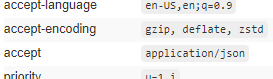
When sending requests from the connector “test operation” Power Automate included an “accept” header saying it wanted a JSON response:
This all makes sense, and is as I would expect.
However, for some reason when using a Flow it didn’t send that header:

So – our server wasn’t sending any JSON back to the Flow as Power Automate didn’t say what it wanted, and Power Automate was all “WTF do I do with this?” with what it was sent.
The fix
So – for my test call, I added in a forced header by adding this to the definition file:
{
“name”: “accept”,
“in”: “header”,
“required”: true,
“type”: “string”,
“default”: “application/json”,
“x-ms-visibility”: “internal”
}
This then worked in a Flow! As I was working with only a handful of calls I added this to all of them in the Swagger file.
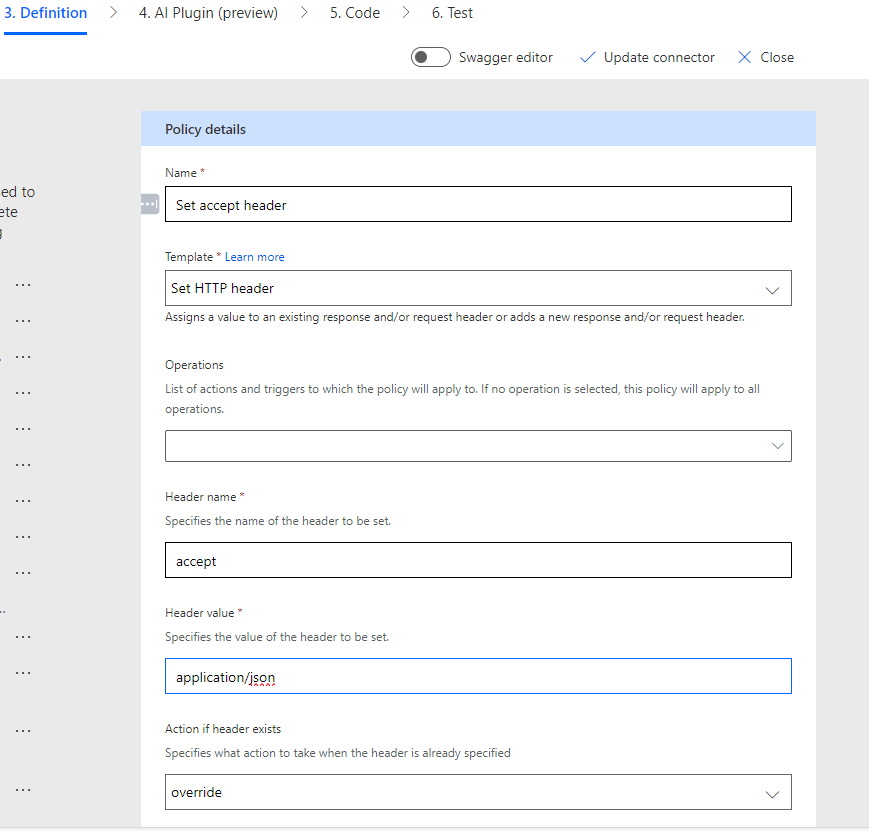
The other option would be to set this via policy in the custom connector setup. Go to the Definition tab, scroll to the bottom, and you can add a policy to add this header to all requests (or all requests that should be sent JSON):
So why?
Why did I need to set/force this header when I didn’t previously? I have no idea!
Maybe it’s a Power Automate bug that’s recently appeared, maybe PowerAutomate has always done this but our new API needs accept to be set – who knows! All I know is that it now works, so I can move on to the next thing.
Until the next update happens… 🙂
 Matt Kirby
Leave a comment