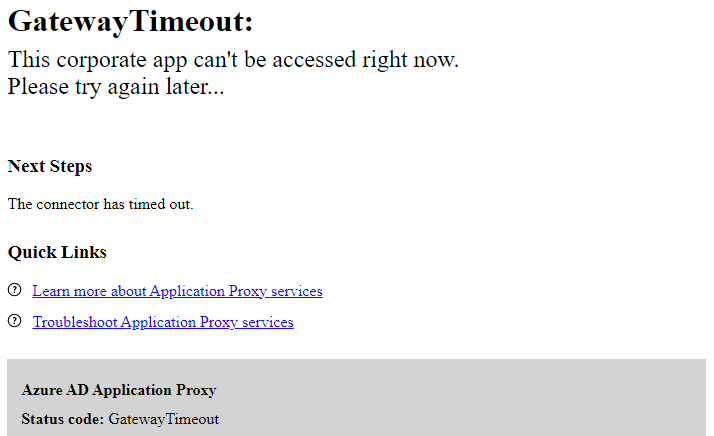
A quick and dirty post today – in short – if you think you are using Azure App Proxy, and all-of-a-sudden your users are reporting Gateway Timeout error – check if your on-prem Azure App Proxy services are stuck.
Kill any errant processes, you’ll see these stuck services disappear, and then you’ll have new services with a new name – Microsoft Entra Private network connector.
You will also have to do this on all App Proxy servers you have – even though they may all be showing as happy in Entra > Applications > Private Network Connectors – until all are working, nothing will work

What happened?
As Microsoft like to do, they’ve renamed what used to be called Azure App Proxy – it’s now Microsoft Entra Private network connector.
The auto-updater removes the old service with the old name, and tries to install the new service – but the old service gets stuck in “stopping”
Annoyingly when you first look at the issue in Azure, all connectors report that they are fine:

But – they are not – on your on-prem servers the services will be stuck in “stopping”.
Kill the relevant process (I’ve forgotten the exact name, but was easy to work out!), you’ll notice that the service that was stuck in “Stopping” disappears, and you’ll get a new Microsoft Entra Private network connector services:

I started to get clued in when I noticed that Microsoft’s documentation hasn’t fully been updated – the text has the new name, but the image doesn’t:

What’s the point of a connector group?
We have multiple on-prem servers running the proxy service – the idea being that if one fails, one of the others can work.
However – this didn’t help us in this instance – installing a new connector on a new server didn’t get things working – it wasn’t until all servers were updated that things started working.
All because Microsoft wanted to tweak their branding…

 Matt Kirby
Leave a comment