
This will be less of a blog post – and more of a place for me to save a useful resource so I can find it again:
https://github.com/pnp/List-Formatting
This is a collection of JSON snippets to add enhanced formatting for SharePoint lists.
Why?
Let me give you an example.
Currently I’m moving our cyber risk register into SharePoint from Excel.
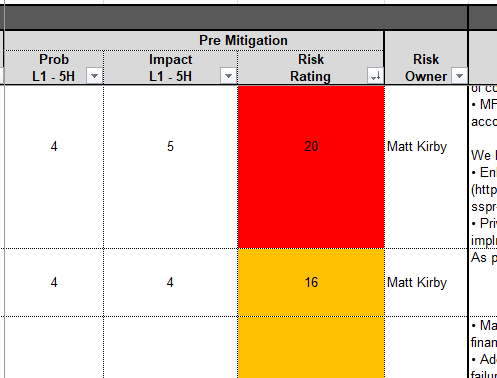
Our Excel worksheet has some conditional formatting, to visually highlight the differing levels of risk:
This is easy enough to also do in SharePoint using conditional formatting rules:
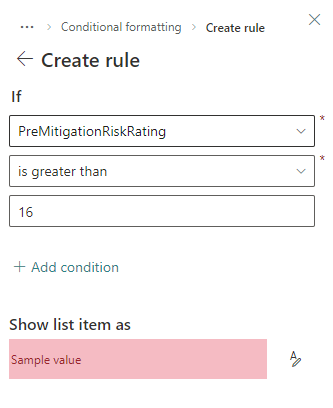
However, this is very dull to set up if you want the same settings on multiple columns!
How to do it better
I have previously dabbled with JSON formatting (by ripping off the kindly shared work of others!), so started looking into using JSON to copy formatting between columns – and then stumbled on https://github.com/pnp/List-Formatting.
There’s a huge amount of stuff in here – I’ve only just started scratching the surface, but I’ve already found something that works better for my needs:
This now not only shows the value, but the focus is more towards the relative position within the range – making it easier to focus on the high-highs before the low-only-just-not-medium highs.
And, by using the same format for the Probability and Impact columns it gives an easier visual indication of how the risk got the rating.
 Matt Kirby
Leave a reply to Hide Automate Button in SharePoint List CommandBar with JSON – Matt Kirby Cancel reply