
A while ago I was playing with a Sharepoint list for generating data sharing contracts, and added a context-sensitive button in a column to trigger a flow. This would send the data to AdobeSign to fill into a template, and set off a signing process.
Since then I’ve found a whole collection of JSON snippets for formatting SharePoint lists.
In this collection I found Hide Automate Button in the CommandBar – which is very useful for my contract list.
The issue I had
While having the button in the SharePoint list was great, there was still the ever tempting Automate button that gave direct access to the PowerAutomate flows when someone selected a file:
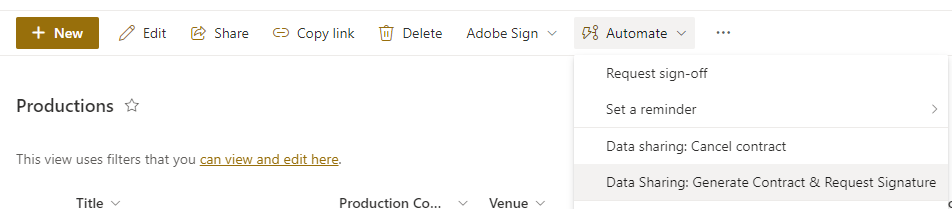
Problem for me was that I want to control which flow is run based on the current status of the contract. The buttons I’d previously created did this – but the default menu item is still there.
The fix!
Using the Hide Automate Button in the CommandBar JSON now gives me this:
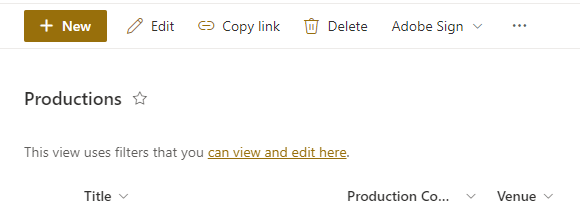
If someone selects a file, they don’t see the Automate menu – so their only option is to use the buttons I’ve provided for them.
 Matt Kirby
Leave a reply to Automate Contract Generation with SharePoint and Adobe Sign – Matt Kirby Cancel reply