
A blast from the past this one!
During 2019 we stated rolling out Office 365 – putting Teams front-and-center.
By the start of 2020 the roll-out was largely complete – but training wasn’t fully ramped up and staff were still getting to grips with things.
Then COIVD hit, and office staff all suddenly had to work from home…
At the end of our first week in the “new normal” I wrote the post below for our internal intranet. I outline the sudden increase in Office 365 usage and show the newer way of working with SharePoint sites and Document Sets.
Let’s take a trip back to March 2020…..
A Week of Working Remotely, but not Distantly
I write this at the end of a challenging week for us all.
Those of you whose role is crucial in keeping the show on the road have continued to travel in to our venues as usual to keep shows running – despite fears and anxiety rising across the country.
Those of you whose work might be able to be done elsewhere were suddenly thrown into a new way of working – which we were all heading for anyway, but we’ve arrived far earlier and in a far bigger way than any of us had intended.
Office365, SharePoint and Teams, oh my!
I thought it might be interesting to look at some of the stats to reflect on how much change has happened this week.
From looking at these it’s clear that many of you have been able to work from home, access the things you need, and be able to communicate with colleagues – all using the tools in Office 365.
Prior to moving to Office 365 the main means of electronic communication was email – in fact it was pretty much the only option.
As you can see from the image below, there was an increase in email activity this week – but a small one – just under 6%.

The biggest change to our way of working has been the adoption and use of Teams.
This week there has been a 172% rise in activity – with over six thousand chat messages being exchanged!

Where’s my stuff?
Communication is crucial – even more so when working at home – but we still need to access Word documents, Excel spreadsheets, images, videos, etc, etc – without those we couldn’t do any work at all.
Prior to this week we were already using OneDrive – most people’s individual files are in here already. This is borne out by the stats in the image below – OneDrive usage this week did rise, but only by 3% – as it’s already used when working in the office anyway.

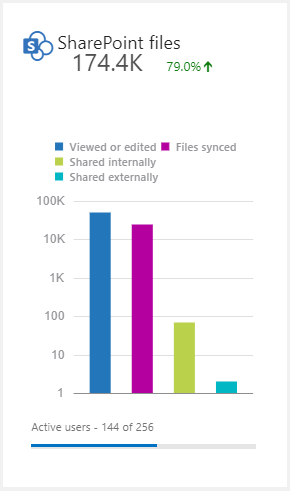
What is interesting is SharePoint – usage rose by almost 80%!
SharePoint comes into its own
This increase in use of SharePoint is even starker if we look at detailed usage over the past month.
In fact on Tuesday the 10th we uploaded over twenty two thousand files to SharePoint, the majority of which are now in the new Artistic Progamme SharePoint site.

A new home for Artistic Programme
Plans were already in motion to start using SharePoint to hold our Artistic Programme data – but these got supercharged this week, in the most agile/responsive/get-things-done manner I think we’ve ever achieved!
As I write this SharePoint is now the home for all information about all shows that are planned to be performed in any of our spaces (as well as some offisite!) between now and the end of 2020.
SharePoint is now the place to be for Word contracts, Excel budgets, show images and videos – it’s all in there.
If you’ve not yet seen it, here’s a sneak preview:
The way it was…
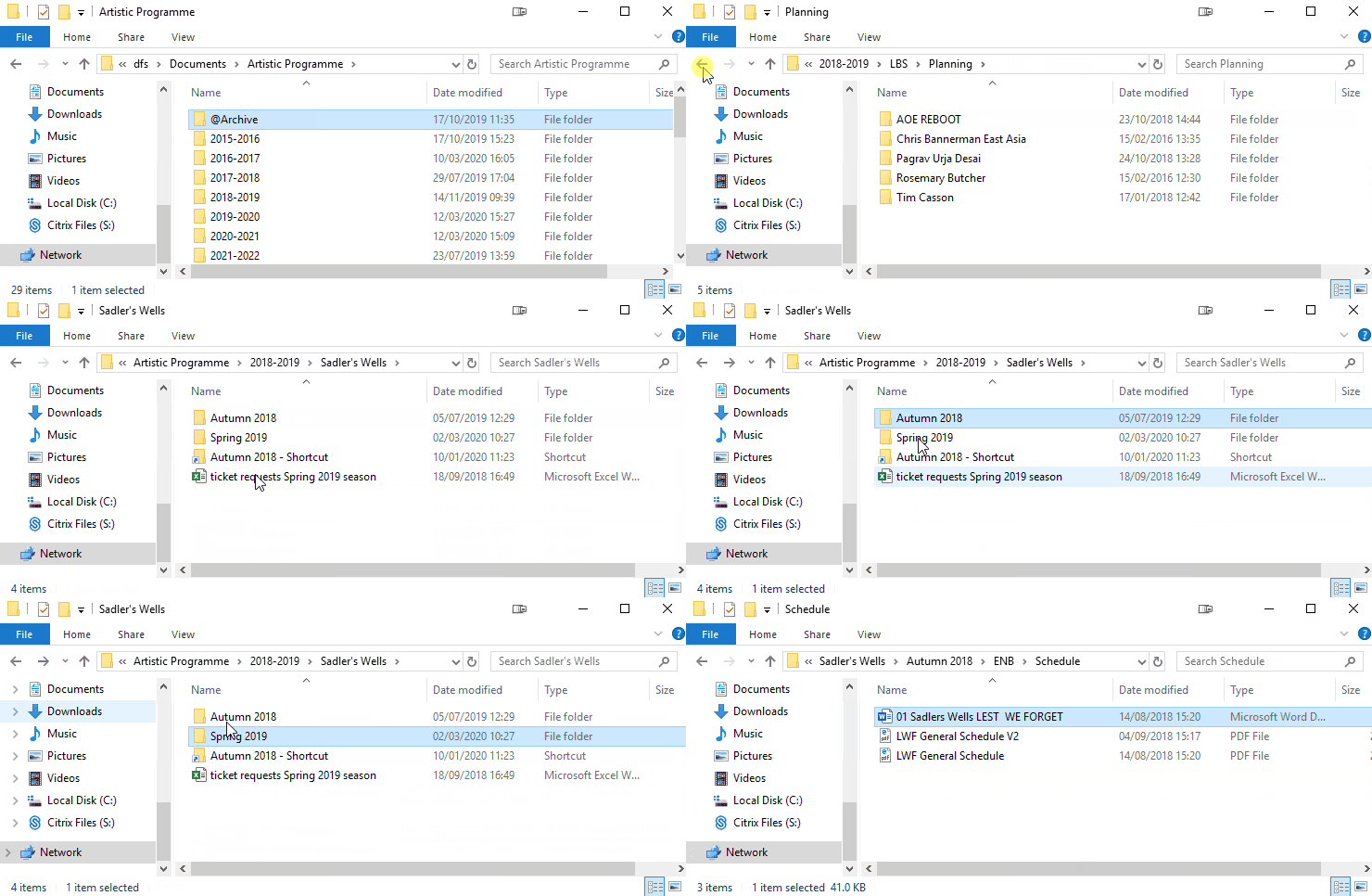
The system that the old Artistic Programme sat on was very inflexible – once a folder structure had been put in place that was it.
Want to have a list of all folders for all presentations from a certain company? Nope – you have to remember which year it was in, which season, and which venue. Or search for it – but what did someone historically call it – “should I search for ENB or English National Ballet? Matthew Bourne, or New Adventures?”.
Want to to view things by year, then venue? Sorry, it was set up for year/season.
Like seeing it one way, but a colleague wants something else? Not possible – everyone has to have the same thing.
Want to rename a folder, while others are working on documents within it? Sorry, you have to ask IT to kick everyone out and do it then.
Whole new world
With SharePoint this is all different. Multiple views are available to all, and everyone can have their own extra unique views.
- Don’t like seeing thumbnail images? No problem, you can have a view that removes that column.
- Prefer to see a gallery view for images? The “Tiles” view does that for you.
- Only work on shows at a specific venue? You can have your own view that hides all other presentations.
The system is hugely flexible – already this week the whole structure has been changed multiple times as people got used to it and came up with requests and suggestions – we can add things, remove things, rename things, change things around – all without having to down tools and move files to a new location.
And this is just the start – you can already subscribe to notifications when specific files or folders are changed, we can set up default templates and folder structures, and there are even options for setting up workflows so that when one thing happens, it triggers something else – automated contract generation anyone?
So, how do I use all this stuff?
Some of you are already up-to-speed with Office 365, so this week hasn’t been that much of a challenge. However many of you are new to all this having only recently been set up – so where do you go to work out what all this new stuff is?
Best starting point is to visit the help section of our intranet – from here you can access training videos, links to training material from Microsoft, etc.
And visit you have- there’s been a 41% increase in visits:

And you’ve been watching our training videos to help you work from home- the top three this week are all about Teams and OneDrive:

The human touch
While all this tech is amazing with interesting stats – “yay for Office 365” and all that – what about the thing we are very good at in the arts – making real connections with others?
Our vision is to create, through dance, a depth of connection beyond borders, cultures and languages, so we see ourselves in each other
Sound familiar? How does this work when we are scattered all over the place?
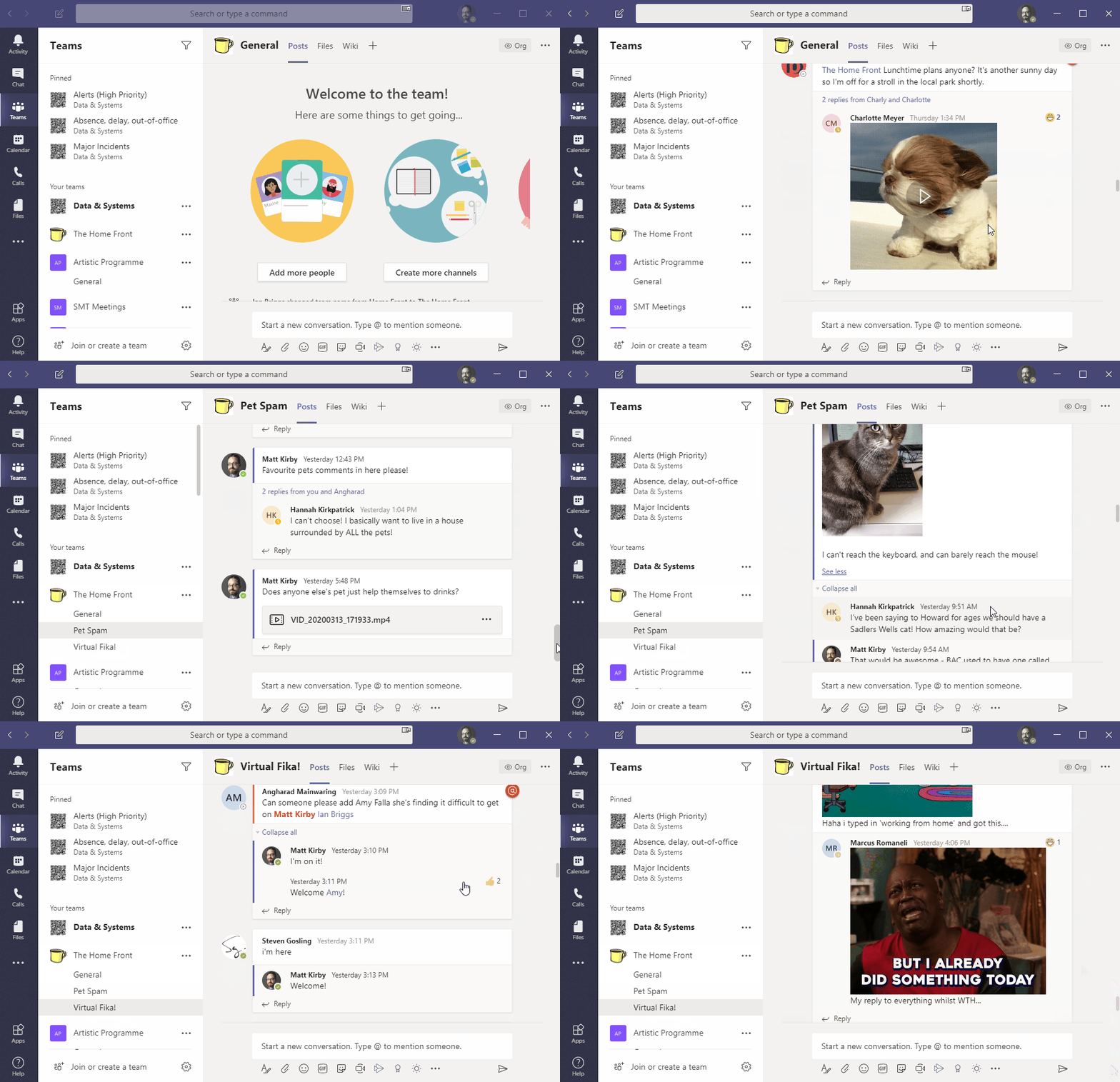
Earlier this week a new Team was created called “The Home Front“, aiming to be a place for those of us working from home to have a general chat, swap some GIFs, and inject a little humour into the working day – in the same way that we would while making a cup of tea, or passing someone in a corridor.
At 3PM on Friday there was even a “Virtual Fika” – people stopped to have a cup of tea and cake and general chat – just as we regularly do in person on the 2nd Circle.
It was amazing to see that despite an increase in physical distance between us it is possible to retain the close ties we have with our colleagues and friends.
In closing…
While this week has been a challenge for us all I think our artistic director’s sentiment on Thursday sums it up perfectly:
You have responded brilliantly
 Matt Kirby
Leave a comment